AI-Assisted Accessibility Governance
AI-Assisted Accessibility Governance
Connecting accessibility standards, shared UI governance, QA tickets, and code remediation
At a Glance
Role: UX Design Manager and Accessibility Governance Lead
AI implementation: Engineering partner
Technology: Internal AI-assisted coding prototype using company-approved enterprise tooling
Scope: Bethesda.net shared UI across Marketing and game studios
Status: Proof of concept; interrupted before formal validation
The Challenge
Microsoft initiated an accessibility remediation effort and provided implementation guidelines. However, different divisions managed separate parts of the Bethesda.net ecosystem and often addressed similar accessibility problems independently.
This created a significant consistency risk. A change made to a shared component by one team could conflict with the design system or behave differently elsewhere.
As UX Design Manager, I raised the need for greater transparency, coordination, and design governance across the organization.
Establishing Accessibility Governance
I organized a weekly accessibility working group involving Marketing, studio teams, QA, Engineering, and Design.
Together, we established that changes affecting global components—including the header, search, primary navigation, and footer required cross-team discussion and approval. Approved changes also needed to be documented in the shared style guide.
This made the style guide a source of truth and reduced the risk of teams independently introducing conflicting solutions.
Prioritizing Accessibility Work
I manually reviewed approximately 100–200 accessibility tickets submitted through QA and supported by an external accessibility partner.
I helped prioritize the work based on:
Severity of the accessibility barrier
Impact on users with disabilities
Frequency and importance of the affected interaction
Reach of the affected component
Consistency with existing UI patterns
Whether the change affected a global component
This review was important but repetitive and difficult to scale as new tickets continued to arrive.
The AI-Assisted Prototype
An engineering partner recognized an opportunity to automate part of the workflow and developed an AI-assisted coding prototype, which was presented to me with my director.
I did not originate or technically build the agent. My role was to provide the design-system, accessibility, and governance context required to make the solution relevant to the real process.
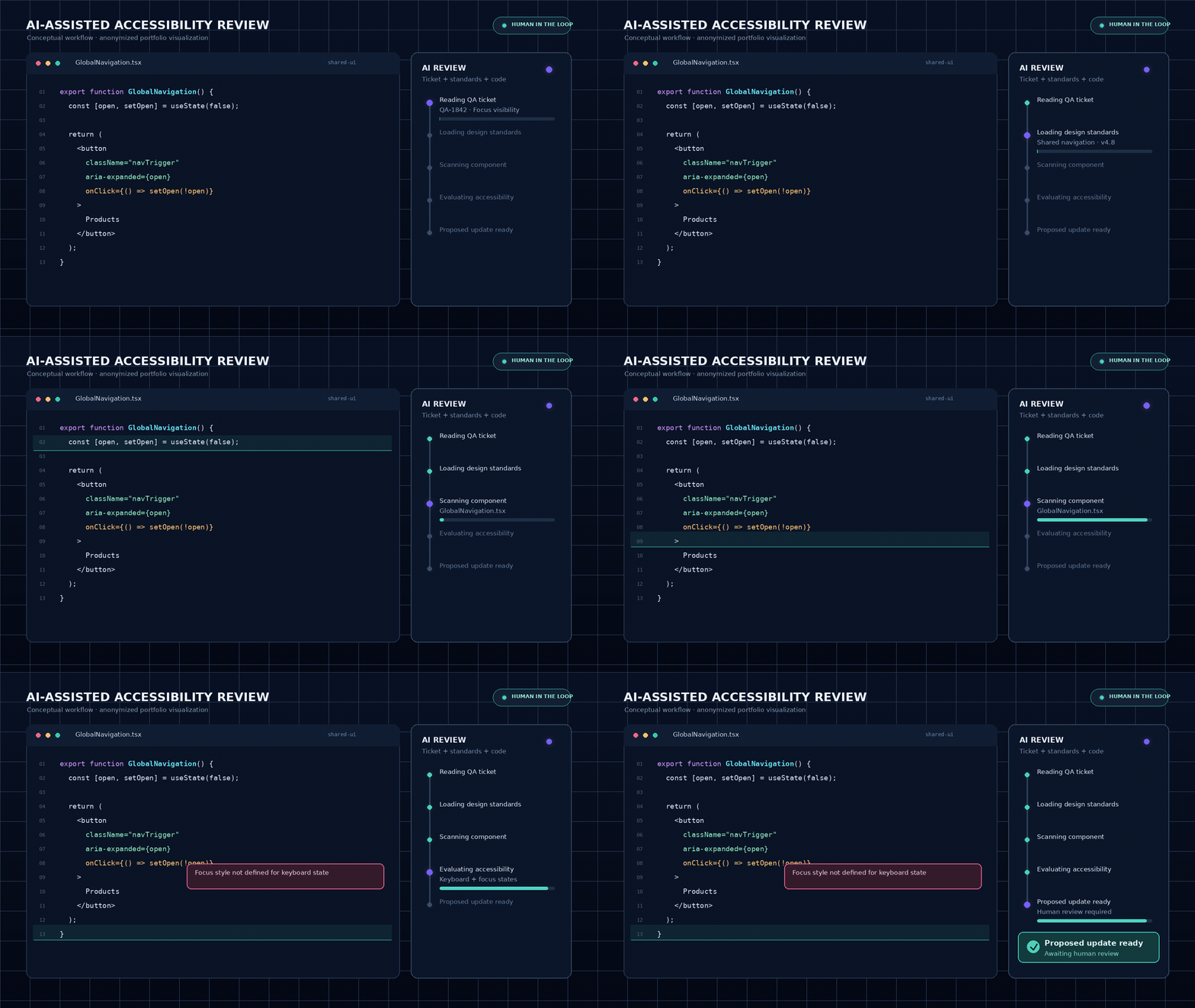
The prototype worked with real QA tickets. It:
Read the accessibility ticket
Referenced the shared style guide
Located and analyzed the relevant code
Generated a proposed code change
Prepared the change for human review and QA validation
The AI did not replace accessibility expertise or final approval. Design, Engineering, and QA still needed to review the proposed solution, confirm consistency, test the implementation, and validate the user experience.
My Contribution
Identified accessibility consistency as an organization-wide risk
Created a cross-team forum for transparent decision-making
Established governance for shared UI components
Reviewed and prioritized approximately 100–200 tickets
Maintained the style guide as a shared source of truth
Provided domain context for the engineering-built AI prototype
Advocated for human review of AI-generated accessibility changes
Outcome
The work established a more transparent governance model for accessibility changes across shared digital experiences.
The prototype also demonstrated a potential path for connecting QA findings, design standards, and code remediation through an AI-assisted workflow. Organizational layoffs interrupted the initiative before we could formally measure accuracy, efficiency, or production impact.
Because I no longer have access to the internal system, the workflow shown in this case study is reconstructed from the project process. No proprietary tickets, code, or internal screenshots are displayed.